The Complete Product Photography Guide for eCommerce
The complete beginner's product photography guide for ecommerce: setup, lighting, product types, platform specs, pricing, and catalog consistency tips for 2026.
Product photography is the single most important variable on any eCommerce product page. Shoppers can't touch, feel, or try your products — your images do all of that work for them. Get it right and your listings convert. Get it wrong and even a great product sits.
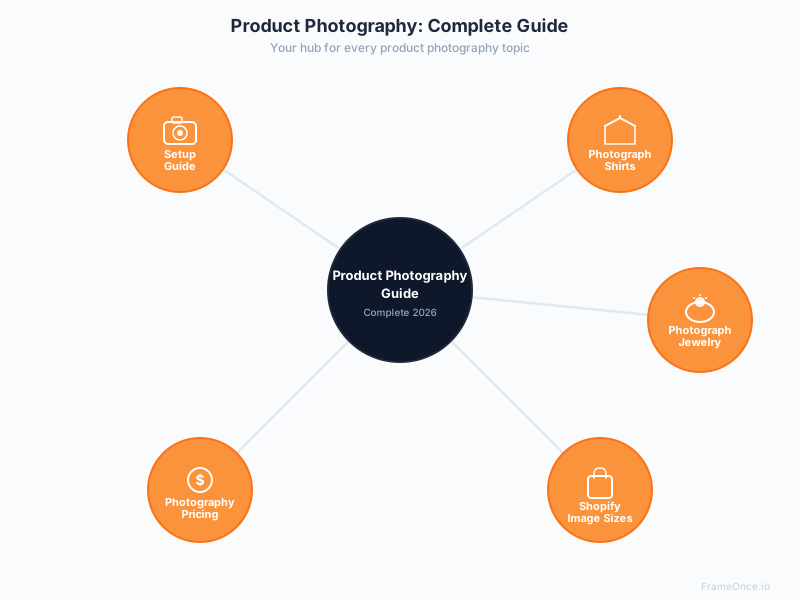
This guide covers everything you need to know: how to set up your shoot, how to photograph specific product types, what it costs to outsource, and how to maintain visual consistency across your entire catalog as it grows.
Use it as your starting point, then follow the links into each specific guide for deeper instruction on any topic.
Why Product Photography Makes or Breaks eCommerce Sales
Online shoppers make purchasing decisions visually before they read a word of copy. Research consistently shows that image quality is one of the top factors in purchase decisions — and one of the leading causes of returns when images misrepresent a product.
The stakes are higher than most sellers realize:
- Listings with 5-8 images significantly outperform those with 1-3 images
- Poor images on a product grid signal low quality before a shopper clicks through
- Inconsistent images across a catalog undermine brand trust even when individual photos are strong
- Major platforms including Amazon have strict image requirements — non-compliant images get suppressed from search results
The good news: you don't need a professional studio or an expensive photographer to produce catalog-ready images. You need the right fundamentals.
Product Photography Requirements: What You Need to Get Started
Before anything else, here's the minimum you need to produce catalog-ready ecommerce images — whether you're a beginner building your first setup or a growing brand optimizing an existing workflow:
Essential requirements:
- A camera — A modern smartphone (iPhone 14+ or Pixel 7+) works for many product categories — see our smartphone product photography guide for the exact iPhone and Android settings. A mirrorless camera like the Canon EOS R50 gives you more control and consistency.
- A tripod — Non-negotiable. Without one, you cannot lock your framing consistently between shots.
- Consistent lighting — Two LED softboxes or a large north-facing window. Lighting is more important than your camera.
- A clean background — White foam board or seamless paper. Pure white (RGB 255,255,255) is required for Amazon main images.
- A documented process — Written notes of your exact settings and light positions. This is what makes your 50th image match your 1st.
What you don't need to start:
- A professional studio
- An expensive DSLR
- Advanced editing skills
- A large budget
Most beginners overspend on gear and underspend on consistency documentation. The cheapest consistent setup outperforms the most expensive inconsistent one.
Part 1: Setting Up Your Product Photography Space
Before you shoot a single product, you need a repeatable setup — consistent lighting, background, and camera position that you can return to every time.
The Essential Equipment
You don't need to spend thousands. A functional ecommerce photography setup can be built for $1,100-$1,800:
- Camera: A modern mirrorless camera like the Canon EOS R50 (~$679) is more than capable. A recent iPhone or Android with a good camera works for many product categories too.
- Tripod: Non-negotiable for consistency and sharp images at lower ISO settings.
- Two LED softboxes: Positioned at 45° to the left and right of your subject. Diffused light eliminates harsh shadows.
- White background: A foam board sweep or paper roll. Pure white (RGB 255,255,255) is required for Amazon main images.
- Reflector: A simple white foam core board bounces light back to fill shadows on the opposite side of your key light.
The Key Principle: Repeatability
A great single image is easy. A catalog of 200 images that all look like they came from the same shoot is the real challenge. Document everything — light positions, camera settings, background type, distance from subject. The setup that wins is the one you can reproduce exactly three months from now.
Full guide: How to Set Up Product Photography: Step-by-Step for eCommerce Sellers
Part 2: How to Photograph Specific Product Types
Different products require different approaches. Here are the guides for the most common eCommerce categories:
Clothing and Apparel
Apparel has three main presentation methods, each suited to different contexts:
Flat lay: Shirt or garment laid on a flat surface, photographed from overhead. Fast, affordable, works well for social media and secondary listing images. The challenge is making clothing look structured without a body filling it.
Ghost mannequin: An invisible mannequin effect created by shooting on a mannequin then removing it in post-processing. Gives garments a 3D shape that flat lay can't replicate — the industry standard for main product images on fashion platforms.
On-model: Highest conversion rate for most apparel categories. Shows how the garment fits and moves. Higher cost due to model and styling requirements.
For the full playbook on garment-specific techniques — including flat lay styling, mannequin fitting, and on-model consistency — see our clothing photography guide.
Full guide: How to Photograph Shirts: Flat Lay, Ghost Mannequin, and On-Model Methods
Jewelry
Jewelry is technically one of the hardest product categories to photograph. You're dealing with reflective metal surfaces, gemstone facets that need to sparkle without blowing out, and pieces so small that every fingerprint shows at full resolution.
The fundamentals: a macro lens with 1:1 magnification ratio, camera locked on a tripod, aperture at f/11-f/16, ISO at 100, and fully diffused light. For rings and 3D pieces, focus stacking — merging multiple shots focused at different depths — is the only reliable way to get the entire piece tack sharp.
Full guide: How to Photograph Jewelry: 10 Tips for Professional, Catalog-Ready Results
More Product Guides Coming
We're publishing in-depth guides for additional product categories on an ongoing basis — electronics, cosmetics, food, footwear, and more. Check back or join the waitlist to get new guides delivered as they publish.
Part 3: Platform Image Requirements
Each major ecommerce platform has its own image specifications. Publishing images that don't meet these requirements means your listings either get rejected or suppressed in search results.
Shopify
- Recommended size: 2,048 x 2,048 px
- Maximum: 5,000 x 5,000 px, 20 MB per image
- Aspect ratio: 1:1 square (required for consistent product grids)
- Recommended file size: Under 200 KB for page speed
- Format: JPEG for photographs, PNG for images requiring transparency
Shopify image requirements vary by image type — product images, collection images, hero banners, and blog images all have different optimal dimensions.
Full guide: Shopify Product Image Size: Complete 2026 Specifications
Amazon
- Minimum: 1,000 px on the longest side
- Recommended: 2,000 px or larger (enables zoom)
- Main product image: Pure white background (RGB 255,255,255), product fills at least 85% of frame
- Format: JPEG preferred
- Maximum: 10,000 px on the longest side
Amazon main image requirements are strictly enforced. Non-compliant images are suppressed from search results and buy box eligibility. For the full category-by-category breakdown — apparel, jewelry, electronics, supplements, home goods — see our Amazon product photography requirements guide.
Part 4: DIY vs. Hiring a Professional
One of the first decisions every eCommerce seller faces: shoot products yourself or outsource to a professional photographer?
The honest answer depends on your volume, your budget, and your product category.
When DIY Makes Sense
- You have ongoing product launches and high SKU volume — the setup investment pays off over time
- Your products are straightforward to photograph (apparel flat lay, packaged goods, simple objects)
- You have time to invest in learning the fundamentals
When to Hire a Professional
- You're launching and need images fast with no learning curve
- Your products are technically difficult — jewelry, glass, reflective surfaces
- Visual quality is a primary brand differentiator at your price point
- You're producing lifestyle or editorial images that require models, locations, and styling
What Professional Product Photography Costs in 2026
Pricing ranges widely depending on the service type:
- White background catalog images: $12-$75 per image (platform studios and freelancers)
- Mid-range styled images: $50-$150 per image
- Lifestyle / editorial: $100-$500 per image
- Commercial day rate: $1,500-$10,000 for a full shoot day (before studio, models, and post-production)
Platform-based studios like Soona (starting at $39/image) have made professional quality accessible at lower minimums for brands that need speed and predictability without the overhead of a traditional studio relationship.
Full guide: Product Photography Pricing: What to Expect in 2026
Part 5: The Consistency Problem
Here's what most product photography guides don't tell you: technical quality and catalog consistency are two completely different problems — and most sellers solve the first while ignoring the second.
You can shoot every product correctly — right settings, right lighting, right background — and still end up with a catalog that looks inconsistent. White balance drifts between sessions. The background reads slightly warmer in winter light than summer. A new photographer crops slightly differently. A second softbox gets positioned an inch further than last time.
On any individual image, these differences are invisible. On a Shopify product grid or Amazon search results page showing 12 products side by side, they're immediately obvious — and they signal lower quality before a shopper clicks through.
The traditional fix is a detailed style guide and meticulous adherence to it across every session. This works, but it requires coordination overhead that most small and medium sellers can't sustain. The full system — visual standards, batched workflows, and color management — is laid out in our catalog photography guide, and the editing-side mechanics live in our product photo editing guide.
How FrameOnce Solves Catalog Consistency
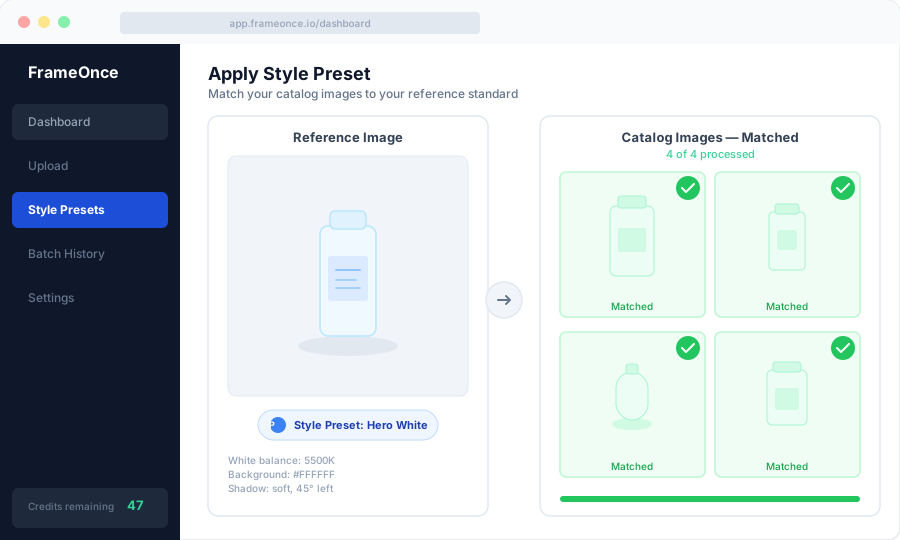
FrameOnce is built specifically for this problem. You create a Style Preset from a reference image — one photo that represents exactly how you want your catalog to look. FrameOnce then automatically matches new product photos to that reference: background tone, lighting character, crop ratio, and overall visual consistency.
Your 200th product photo matches your first, regardless of when it was shot, who shot it, or what the lighting conditions were that day.
The boundary worth naming: FrameOnce enhances the photos you took. It does not generate fake products, fake models, or fabricated scenes — every output represents real inventory you can ship. Buyers in handmade and product-led marketplaces increasingly distrust AI-generated listings, and we are built to keep your shop on the right side of that line (see our Real Photos policy).
FrameOnce's free tools are live now. Run a free shop critique to see exactly where your catalog drifts, no signup needed. The full paid catalog workflow (Style Presets, batch processing, Etsy/Shopify integration) is in private testing and launches summer 2026; join the waitlist for double credits when paid plans are ready.
Quick-Reference: Product Photography Fundamentals
Before every shoot, verify these basics:
- Camera on tripod with remote shutter release or self-timer
- Manual mode: aperture f/8-f/16 depending on product, ISO 100, custom white balance, RAW format
- Two diffused lights positioned at 45° — key light and fill, or fill with foam core reflector
- Background clean and correctly positioned
- Products cleaned, styled, and handled with care
- Reference shot of full setup taken for documentation
Frequently Asked Questions
Do I need an expensive camera for product photography?
No. A mid-range mirrorless camera like the Canon EOS R50 (~$679) produces excellent results for ecommerce. For simple flat products, a recent smartphone with a clip-on lens can work. The lighting setup matters more than the camera body for most ecommerce photography.
How many images do I need per product?
A practical minimum is 4-6 images per SKU: one hero front image, one 45° angle, one back or detail shot, and at least one lifestyle or in-context image. Amazon allows up to 9 images — listings using 5-8 images consistently outperform those with fewer.
What's the best background for ecommerce product photos?
Pure white (RGB 255,255,255) is the industry standard and required for Amazon main images. It works across all product categories and platforms. Lifestyle backgrounds — marble, wood, fabric — work well for secondary images and social content but shouldn't be used as your main listing image on most platforms.
How do I keep my product photos consistent across sessions?
Document your setup meticulously — light positions, camera settings, distance from subject, background type. Shoot tethered to a laptop if possible so you can compare new shots against reference images in real time. Use a fixed custom white balance rather than auto. Or use FrameOnce to automate consistency matching across your entire catalog.
How long does a product photography session take?
For a well-established setup shooting simple products, experienced photographers can produce 15-25 catalog images per hour. Complex products — jewelry, products requiring focus stacking, multi-angle shots — take significantly longer. Budget 20-30 minutes per SKU for thorough coverage across multiple angles.
What's Next
This guide is your foundation. Each section links to a deeper article that covers the topic in full detail. Start with whichever area is most relevant to where you are right now — and come back as your catalog and your questions grow.
Ready to solve the consistency problem at scale? Run a free shop critique to see exactly where your photos drift today — no signup needed. Or join the waitlist for double credits when the paid catalog workflow launches summer 2026.
FrameOnce Team
FrameOnce Team
Related Articles
Product Photography Setup: Complete Guide for 2026
Product photography setup guide: lighting, camera settings, backgrounds, and a repeatable studio process for consistent ecommerce catalog photos.
Product Photography Equipment: What You Actually Need (and What You Don't)
The complete product photography equipment list by budget tier: from $50 phone setups to full studio rigs, with what's worth buying and what to skip.
Product Photography Lighting: A Complete Guide to Consistent Results
Product photography lighting guide: natural vs. artificial setups, camera settings, softbox positions, and consistency techniques for ecommerce catalogs.
Stay Updated
Honest product photography tips delivered to your inbox. FrameOnce enhances the photos you take, real photos, never generated.